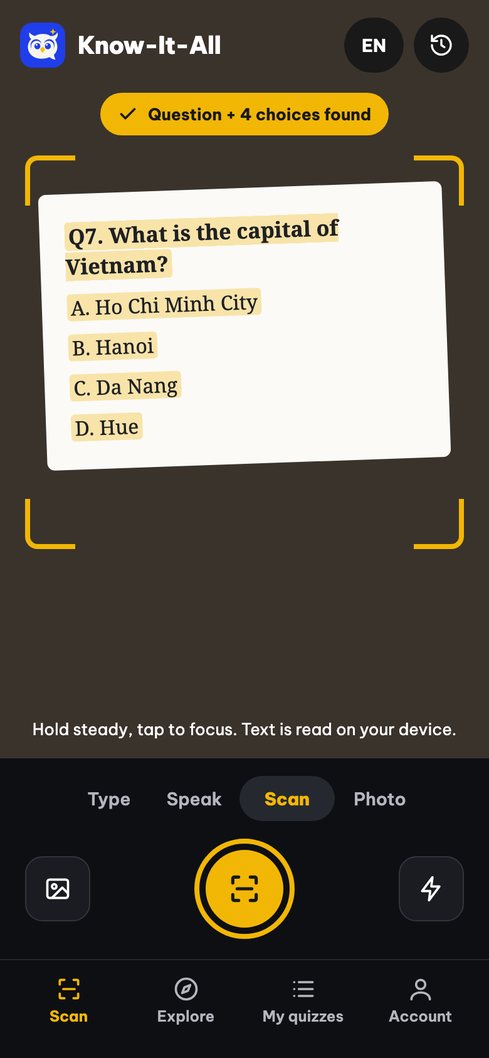
Point at the question
In a notebook, textbook, printed test, lecture slide or on a computer screen. Fit the question and all choices in the frame.
 Know-It-All
Homework, trivia, classroom quizzes: scan a question on paper or a screen and Know-It-All suggests an answer with a confidence estimate. No retyping.
No retyping. Know-It-All reads the text on your phone, then suggests an answer.
In a notebook, textbook, printed test, lecture slide or on a computer screen. Fit the question and all choices in the frame.
The frame freezes and text is recognized on your device. If a word is misread, fix just that word.
The suggested answer is highlighted with a confidence score and per-option estimates. Tap “Scan next question” to keep going.
Homework or a quick trivia round with friends, Know-It-All helps you check answers and see how sure you can be.
Scan multiple-choice homework and practice tests to check your work and review wrong answers.
Review MCQs from slides, PDFs or screenshots. Your history is saved for exam prep.
Train your knowledge reflexes for fast quizzes, TV-style game shows and classroom quiz games with timed quizzes.
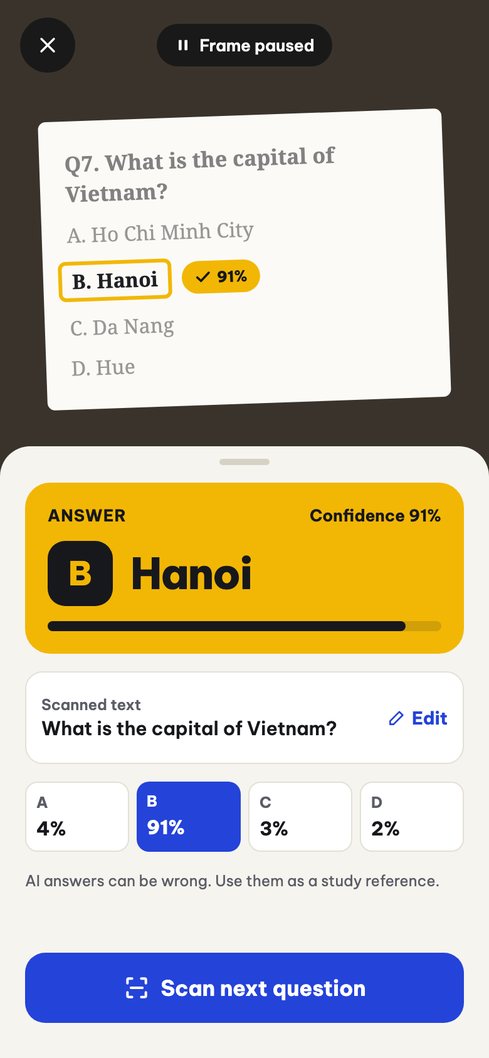
The answer is circled on the question you just scanned, with an estimate for every option. See which answers the AI is sure about and which to double-check.
A timer on every question, four options, instant scoring. Prepare for fast quizzes, trivia game shows or classroom quiz games with sets from Math, History and Geography to English.
Create your own quizzes to practice with friends, private or shared with the community.
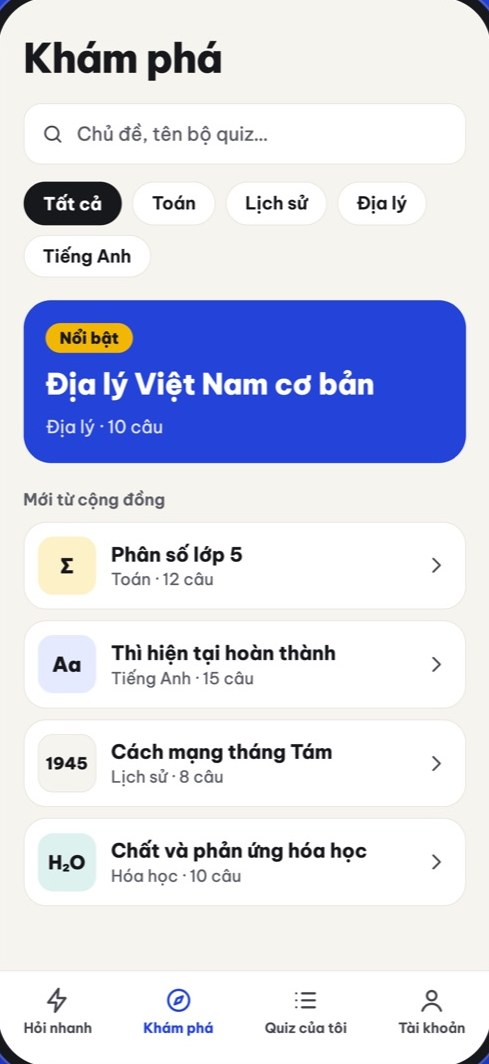
Xin chào✦Hello✦こんにちは✦안녕하세요
Multiple-choice questions with 2 to 6 options, printed or on a screen. Multi-step calculations are more error-prone, so check the confidence score and verify the result.
No. Point your camera at the question and tap Scan; the text is recognized on your phone. If a word is misread, just fix that word.
Yes, for multiple-choice questions in practice tests, workbooks, slides or screenshots. Your scan history helps you review wrong answers before an exam.
No. Know-It-All is for practice and study reference. Follow the rules of your exam, class or contest.
The interface and text scanning support English, Vietnamese, Japanese and Korean.
Text recognition runs on your device. Question text is sent to an AI service; voice recordings are sent to Google Speech-to-Text for transcription. Images you upload to a quiz are stored on our server. See the privacy policy.
Yes. You can clear your history and delete your account in the app. See account and data deletion.
Download Know-It-All on Google Play for Android.
Illustrations from the Know-It-All design. The actual interface may vary by version.